
See how Reliv works — from kiosk to your phone.
Watch our animated video to understand what the Reliv kiosk offers, follow simple steps to install the Reliv payment app on your iPhone or Android, and see what a 3-minute checkup looks like.
What is Reliv?
Everyday health checks shouldn't require long clinic queues or expensive lab appointments. Reliv brings self-service healthcare right where you live, study, and work.
- Instant vital screening — Check your blood pressure, pulse rate, oxygen saturation (SpO₂), body temperature, and body composition in about 3 minutes.
- Essential health kits — Automated dispensing of First-Aid Kits, Women's Wellness Kits, and Travel Kits for daily campus and workplace needs.
- DPIIT Recognized & Award-Winning — Certified under Startup India (DIPP287544) and winner of The Oscars of Healthcare (Medverse Salem) for Excellence in MedTech.
- Installed where people are — Colleges, universities, tech parks, fitness centers, and high-footfall public hubs.
How to install & use the Reliv app
The Reliv mobile app is a lightweight Progressive Web App (PWA). It needs no App Store or Play Store download, takes zero storage, and is always up to date.
- Step 1 — Open in Safari Open Safari on your iPhone and visit reliv7.vercel.app, or scan the QR code below.
- Step 2 — Tap the Browser Menu Tap the three-dots ⋯ or the Safari Share icon at the bottom of your screen.
- Step 3 — Choose 'Add to Home Screen' Scroll down the share sheet and tap + Add to Home Screen.
- Step 4 — Tap 'Add' to Finish Confirm the app title and tap Add in the top-right corner. Reliv is now on your home screen!
- Step 5 — Scan Kiosk Payment QR Whenever you arrive at a Reliv kiosk, open the app, tap Scan kiosk payment QR, and point your camera at the kiosk screen to initiate payment.
- Step 1 — Open in Chrome Open Google Chrome on your phone and go to reliv7.vercel.app.
- Step 2 — Tap 'Install' Chrome will show an Install Reliv ↗ banner at the top. Tap it, or tap the three dots ⋮ and select Install app.
- Step 3 — App Added to Home Screen The standalone Reliv icon will appear directly on your home screen and in your apps list.
- Step 4 — Scan Kiosk Payment QR Open the app at any Reliv kiosk, tap Scan kiosk payment QR, align the camera with the payment code on the kiosk display, and complete payment securely.
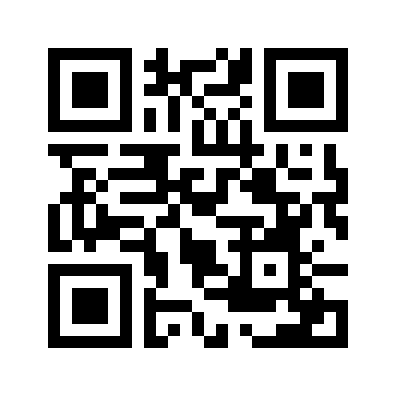
reliv7.vercel.app or scan this code with your camera
How the 3-minute checkup works at the kiosk
Designed for ease of use across ages, languages, and technical comfort levels.
Choose your language
Touch the screen to select English, हिंदी (Hindi), or বাংলা (Bengali). Gentle voice prompts and animated visual guides walk you through every step.
Rest arm & take readings
Rest your arm in the automated blood pressure cuff and place your finger on the optical sensor. Fast, calibrated, non-invasive readings in under 3 minutes.
Instant paperless report
Review your vital numbers and body indicators clearly on screen. Scan the on-screen QR code with your phone to take your private report home.
Real station checkup walkthrough
See an actual checkup session recorded live at our Sector V Kolkata deployment.
Ready to try a checkup in person?
Find an active Reliv Smart Health Kiosk near you in Kolkata, or contact our team to bring a kiosk to your college, office, or fitness facility.